How to Run WhatsApp Marketing Campaigns for Your Shopify Store in 2026

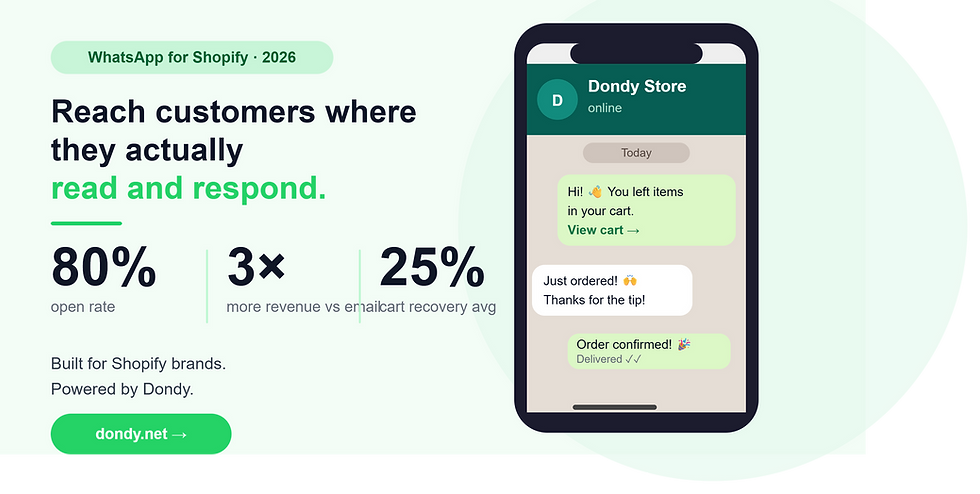
If you're still relying on email alone to reach your customers, you're leaving a lot of money on the table. WhatsApp has become one of the most powerful marketing channels for ecommerce brands - with open rates above 80% and conversion rates that consistently outperform email by 3 to 7 times. For Shopify merchants, knowing how to run effective WhatsApp marketing campaigns isn't just a nice-to-have anymore. It's quickly becoming the difference between stores that grow and stores that plateau.
Here's a practical guide to getting started and doing it right.
What Makes WhatsApp Marketing Different from Email
The comparison is worth understanding before you invest time building campaigns. Email open rates hover around 20-40% on a good day. WhatsApp messages are opened by 80% or more of recipients, and 80% of those are read within the first five minutes of delivery.
That's not just a vanity metric. It means your time-sensitive promotions - flash sales, back-in-stock alerts, limited-time discount codes - actually land when they matter. Email campaigns for these use cases often arrive too late to drive action.
WhatsApp also feels personal. Messages arrive in the same inbox where people chat with friends and family. That intimacy creates trust, and trust drives purchases. Brands using WhatsApp marketing report 45% higher conversion rates compared to traditional email marketing, and Click-to-WhatsApp ads deliver 3-5x better return on ad spend than standard link-click ads.
Step 1: Build Your Opt-In List the Right Way
Before you can send a single campaign, you need a compliant opt-in list. This is non-negotiable - WhatsApp Business API requires explicit consent, and skipping this step will get your number flagged or banned.
The best opt-in entry points for Shopify stores are:
Checkout opt-in: Add a WhatsApp consent checkbox at checkout. Customers are already giving you their phone number, so a simple "Get order updates and exclusive offers on WhatsApp" checkbox converts well.
Pop-up or embedded form: A website pop-up offering a discount (e.g., "Get 10% off - join our WhatsApp list") is one of the fastest ways to grow your subscriber base.
QR codes: If you have physical packaging, include a QR code that opens a WhatsApp conversation. Post-purchase is a perfect moment to invite customers into your WhatsApp channel.
Keep your opt-out rate below 0.5% per campaign. If you're seeing higher numbers, your content or frequency needs adjustment.
Step 2: Segment Your Audience Before You Send Anything
Sending the same message to your entire list is the fastest way to burn it. Segmentation increases conversion rates by 3-4 times compared to unsegmented blasts.
Useful segments for Shopify stores include:
New subscribers (within the last 30 days): Send a welcome sequence, introduce your brand, share best sellers
Past purchasers: Recommend complementary products, upsell, ask for reviews
Lapsed customers (no purchase in 60-90 days): Win-back campaigns with a compelling offer
High-value customers (top 20% by LTV): Give them early access, exclusive deals, or VIP status
Abandoned cart visitors: This is one of the highest-ROI segments you can target - more on this below
If Your WhatsApp tool pulling customer data directly from Shopify as Dondy does so you can build these segments dynamically without manual exports.

Step 3: Know Your Campaign Types
Not every WhatsApp message is a promotion. The best-performing WhatsApp channels mix content types to keep subscribers engaged without burning them out. A good rule of thumb: 80% value, 20% promotional.
Promotional campaigns: Flash sales, product launches, seasonal promotions. Keep these punchy - one clear offer, one clear CTA, ideally with a product image.
Abandoned cart recovery: A three-message sequence works well here. First message 30 minutes after abandonment with a product image and a friendly reminder. Second message 4 hours later with a gentle nudge. Third message 24 hours later with a time-limited discount. This sequence alone can recover 15-25% of abandoned carts.
Post-purchase flows: Order confirmation, shipping updates, delivery confirmation, and a review request a few days after delivery. These utility messages have near-perfect open rates and build a habit of customers expecting to hear from you on WhatsApp.
Win-back campaigns: Target customers who haven't purchased in 60-90 days with a personalized message and an offer. The personal channel makes these feel less like spam and more like a brand that actually notices when you've been away.
Broadcast announcements: New collection drops, restocks, or company news. Keep these short and visually compelling.
Step 4: Use WhatsApp Flows to Remove Friction
WhatsApp Flows are one of the biggest unlocks for ecommerce brands in 2026. They let customers complete actions - like browsing products, taking a quiz, or checking out - entirely inside WhatsApp without being sent to a website.
Businesses using WhatsApp Flows report completion rates above 80% and conversion ratios 158% higher than standard web forms. For Shopify brands, this means you can capture leads, run product recommendation quizzes, or even process simple orders without the customer ever leaving the conversation.
If you haven't explored Flows yet, this is the highest-leverage thing you can add to your WhatsApp strategy right now.
Step 5: Watch Your Metrics and Optimize
Unlike broadcast blasts that disappear into the void, WhatsApp campaigns give you clear signals to work with.
Track:
Delivery rate: Should be above 95%. Lower rates indicate list quality issues.
Read rate: Benchmark is 70-85% for engaged lists.
Reply rate: A proxy for engagement quality — replies indicate real interest.
Click-through rate: For messages with links, aim for 15-30%.
Conversion rate: Tie campaign sends back to Shopify sales using UTM parameters.
Opt-out rate: Keep below 0.5% per campaign. Spikes signal messaging fatigue or poor targeting.
Run A/B tests on message copy, send timing, and offer type. Even small improvements in these variables compound significantly at scale.
Putting It Together
Running WhatsApp marketing campaigns for a Shopify store doesn't have to be complicated, but it does need to be intentional. Build your list with explicit consent, segment before you send, mix content types, and pay attention to your numbers.
Tools like Dondy are built specifically for Shopify brands that want to do all of this from one place - covering marketing campaigns, abandoned cart recovery, post-purchase flows, AI-powered support, and WhatsApp Flows - without stitching together a stack of separate tools. If you're serious about making WhatsApp a real revenue channel for your store, having the right infrastructure underneath makes all the difference.
The brands winning on WhatsApp right now aren't blasting their lists, they're sending the right message to the right customer at exactly the right moment. Set that up once, and it runs itself. Start Here.


Comments